Poster
A meaningful first frame appears before WebGL or the full scene is ready.


Target interaction specification
What does this object look like in this material, construction state, camera, and light, and can I send someone exactly that view?
Product Studio must preserve a one-to-one relationship between manipulation, visible object state, and shareable URL state. Once the person takes control, the system must not secretly move the camera or reset the view behind them.
Case-study thesis
This is the behavior to build toward. The implementation receipts below remain the record of what exists today.
The product is not a 3D render. It is a stable relationship between hand movement, object state, camera state, material state, and a URL another person can reopen.
State model
If two states would look identical to the person, the implementation is not finished.
A meaningful first frame appears before WebGL or the full scene is ready.
The object, current material, camera, environment, and available manipulations are legible.
Pointer or touch movement maps continuously to the object or camera without mode ambiguity.
Changing material keeps object identity stable and communicates any paired light or environment change.
Exploded and wireframe states reveal how the object is made without leaving the catalogue context.
The current material, camera, environment, construction state, and view serialize into the URL.
A still is created with enough state in its filename to remain identifiable later.
No WebGL, denied clipboard, save-data, or export failure still leaves a useful and recoverable experience.
Edge cases
Definition of done
HAAM produktutgave · Vessel 01
Vessel 01 is a carry object from HAAM Atelier in the implied year 3026, edition 001 of 008. Product Studio holds it so the material, the light, and the construction can be looked at, shared as a URL, and taken away as a still.
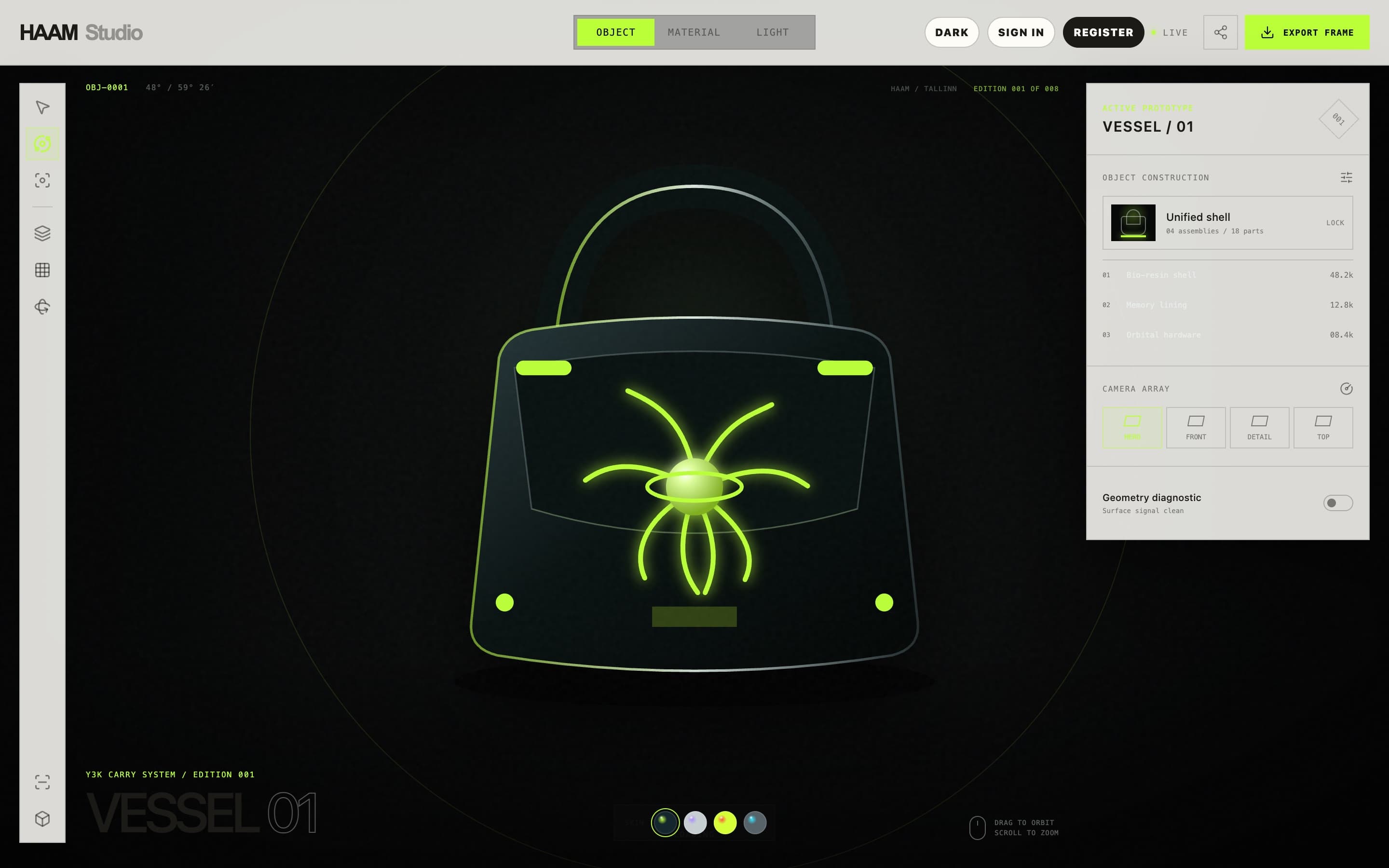
PBR skins
4Abyss glass, Moon pearl, Solar pollen, Liquid chrome. Material select also sets camera and light.
of 008
001One object. Implied year 3026. HAAM Atelier catalogue fiction.
studio state
URLm, c, e, x, w encode material, camera, environment, exploded, and wireframe.
export name
PNGhaam-vessel-01-{material}-{camera}-{YYYYMMDD}.png
The job
Material viewers often arrive as engineering demos. I wanted Vessel 01 in a room: named materials, a designed camera, a paired environment, construction, and a still you can take away.
The share had to be a specific looking. If someone sends a link, they should send this material, this camera, this light — not a homepage.
Native apps, collaborative editing, user accounts, a general material editor, and ecommerce were out of this piece.
The looking
Visitors without WebGL keep the static first-frame poster and a noscript note. The scene loads when the browser can hold it.
01
A static poster holds the first frame so the page has something to see before the scene is ready.
02
Four PBR skins share one object. Choosing a material also chooses camera choreography and a preferred environment.
03
Exploded and wireframe states live in the same URL as the beauty view, so construction is part of the catalogue, not a hidden debug flag.
04
Share copies the canonical URL. If the clipboard is denied, a toast shows the URL. Export writes a PNG with a deterministic filename.
Design decisions
studio.haam.co
Catalogue
Edition 001 of 008. Four named skins with codes and a short lore line. The studio does not become a general configurator by adding a fifth unrelated mesh.
State
Query keys m, c, e, x, and w serialize the view. Invalid values fall back in tests. A share is therefore a specific looking, and a reload does not invent a different one.
Export
The PNG filename carries material, camera, and date so a folder of exports remains searchable. There is no locked 1920×1080 buffer in this pass.
The working stack
Scene
StudioScene lazy-loads. React 19, Three.js 0.185, React Three Fiber 9.
State
Canonical query shape for material, camera, environment, exploded, and wireframe.
Entry
index.html poster plus noscript note. Vite 8 production build.
Host
Published showcase. Local Vite remains the development path.
In evidence
01Four named materials share one inspectable object
02A shared URL restores the same studio view
03A PNG export carries material, camera, and date in the filename
04WebGL-less visitors keep the poster instead of an empty stage
Where it stops
There is no visual-regression suite, no Playwright flow, and no dated device FPS or Lighthouse capture in the evidence file. Touch and keyboard on real phones are not yet in evidence.
No awards, production-traffic, or measured performance claims belong here.
HAAM’s role
Catalogue frame, material naming, camera choreography, environment pairing, React/Three.js studio, URL state, export naming, tests, and documentation. Direct work, 2026.
How we learned
Material, light, camera, environment, construction, and shareable state were tested as parts of the same viewing experience. Keeping the object fixed made it easier to see what each interaction changed and which controls actually helped someone understand the object.
Optional analytics. Google Analytics and Clarity load only if allowed; form, email, and chat content are excluded.